---
updatedAt: 2025-06-27T04:24:09.000Z
agentTools:
projectIndex: https://docs.shophumm.com.au/llms.txt
---
# Landing Page
The humm Landing Page provides customers with a more in-depth look at the humm offering, providing details around the limits and terms the customer can expect to recieve, what the requirements for using humm are, as well as a way to sign up and start transacting through humm.
You can find the instructions for adding the Landing Page to your site below:
## Adding the Page
1. Login to your WooCommerce Admin Dashboard, then navigate to **Pages** > **Add New Page**
2. Create a new page, type **humm** in the title.
2. Below, create a column (**/columns**)
3. Select **one column** from your choices
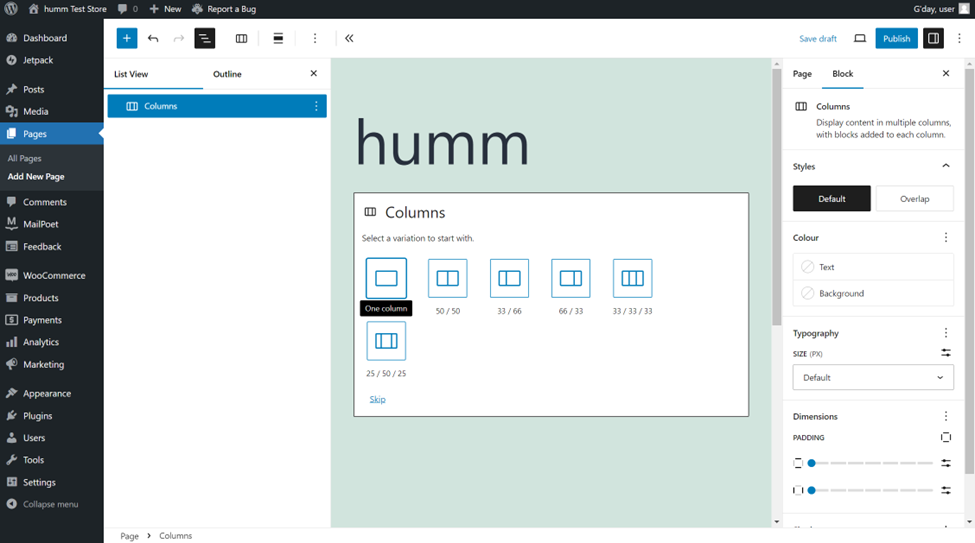
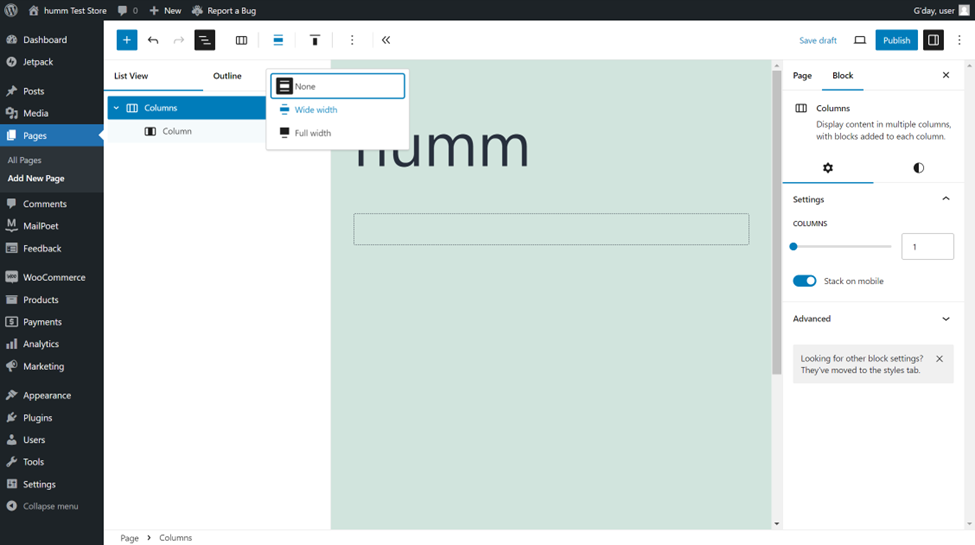
4. Select **columns** again, then press **Align** and select **Full width**or **Wide Width**.
5. Within the **column**, add **Custom HTML**
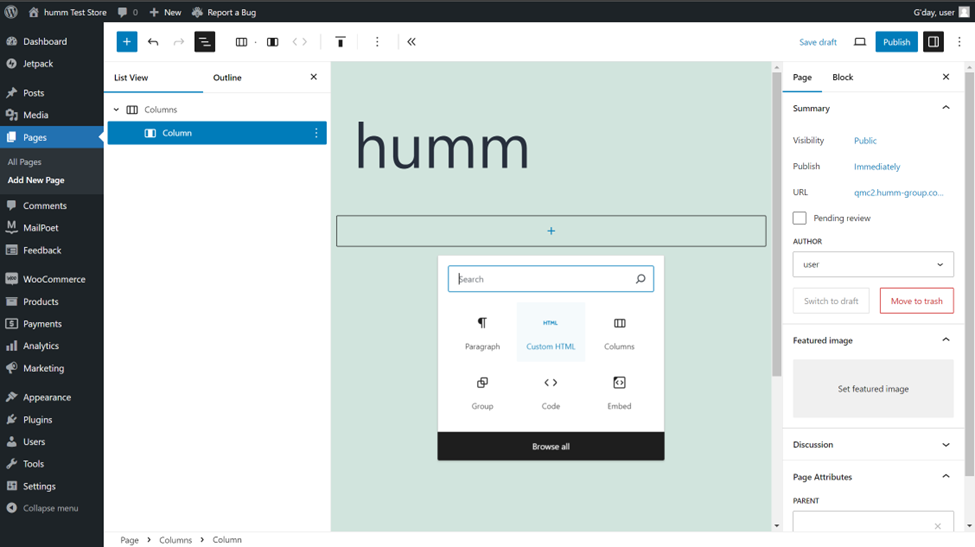
5. Paste the Landing Page script within the **Custom HTML** field
```Text Landing Page
```
7. **Save** and **Publish**.
## Linking
1. Within your Dashboard, navigate to **Appearance** > **Menus**.
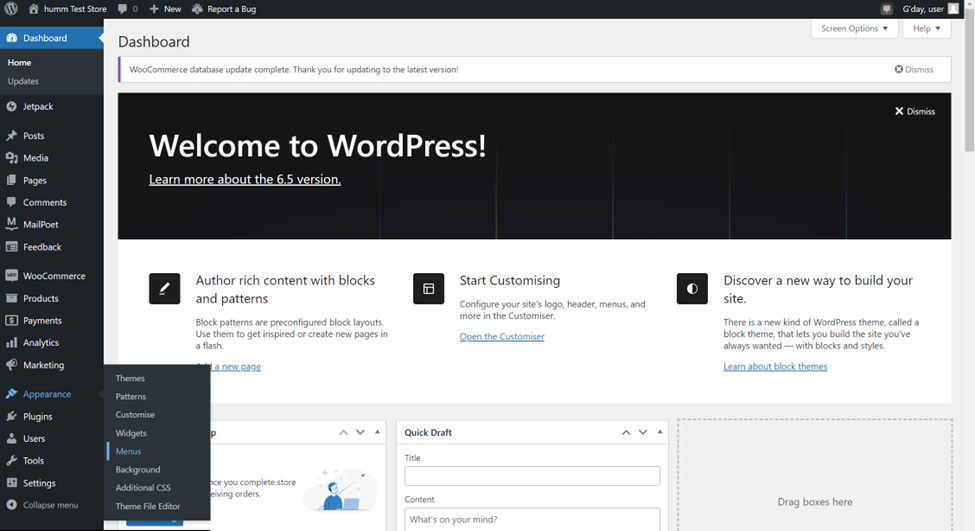
2. Select the Menu you would like to add the Landing Page to, and tick the **humm** page, then click **Add to Menu**
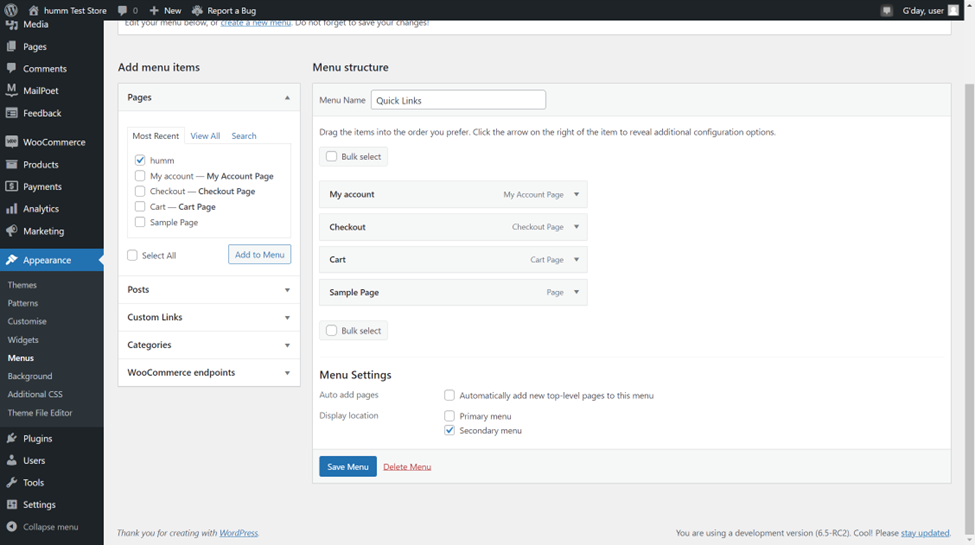
3. Click **Save Menu** then check the menu on your site to check it's working correctly.
> 📘 Need help?
>
> Please let us know if you need assistance or have questions via the [Integration Assistance Form](https://docs.shophumm.com.au/docs/assistance)